8.2. User Roles
The “User Roles” section defines the capabilities available to different employee groups. Each entry displays the role name, system-role flag, and description.
System and Custom Roles
The platform provides four built-in system roles that cannot be modified:
- Administrator — platform and configuration administration;
- SuperAdministrator — extended administration and complete system control;
- User — basic access to permitted sections;
- Engineer — equipment, service request, PPM, and maintenance task workflows.
Administrators can also create any number of custom roles, such as Area Supervisor, Maintenance Manager, Mechanic, or Production Manager.
Configuring a Role
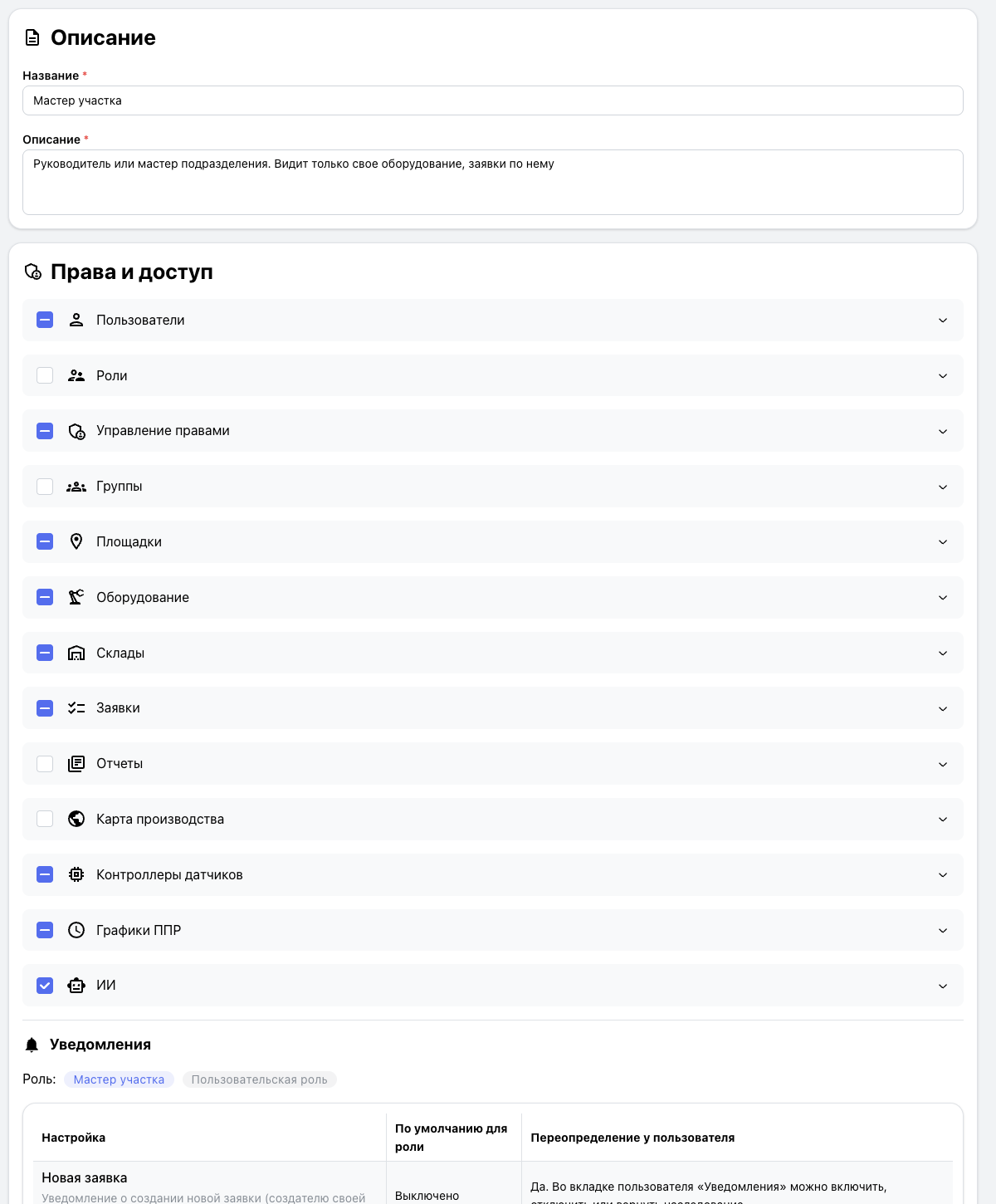
When creating or editing a role, specify its name and a description of its responsibilities. The permissions area controls access to users, roles, permission management, groups, production sites, equipment, inventories, service requests, reports, the production map, sensor controllers, PPM schedules, and AI.
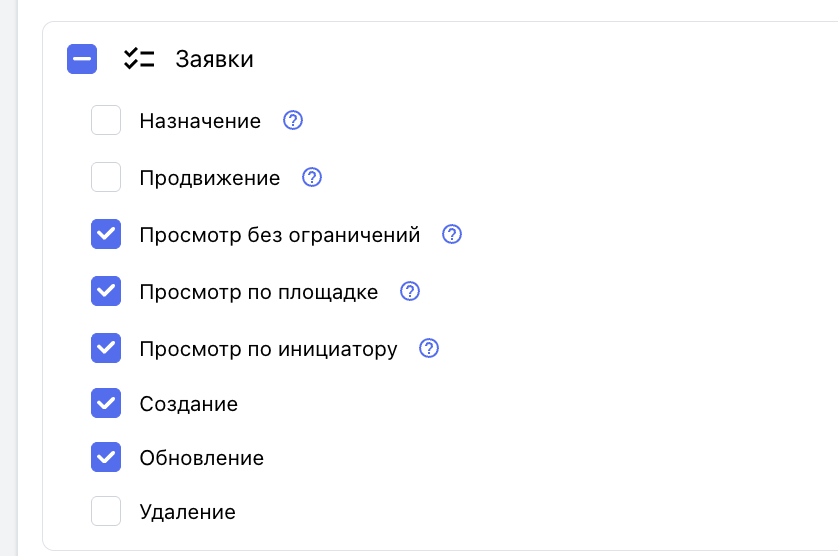
For every section, an administrator can control both visibility and permitted operations. For example, an area supervisor may view equipment in their area, work with its requests, use the inventory, and view PPM while having no access to administrative sections.
Notifications and Access Templates
Default notification behavior is configured at the role level. Users can override their personal settings when their permissions allow it.
A custom role acts as an access template for a group of employees. Changes to the role are applied to assigned users, subject to any supported individual overrides.