8.1. User List and Registration
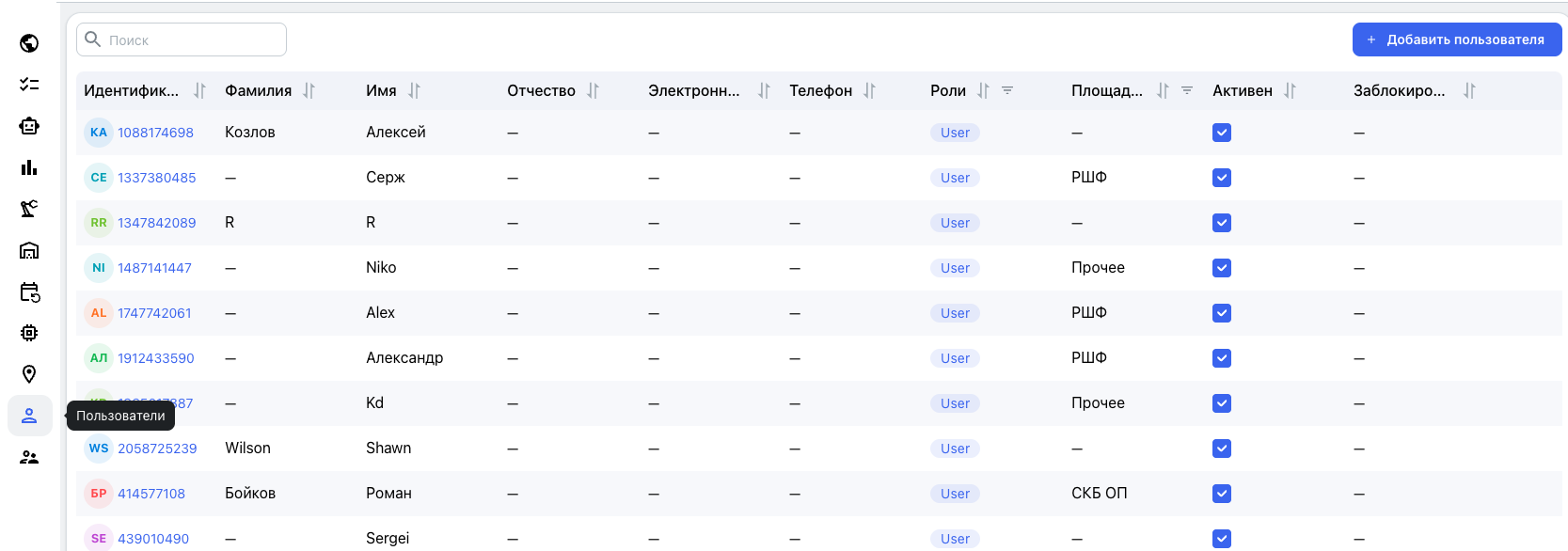
The list displays the user ID, avatar, full name, email address, telephone number, roles, accessible production sites, and “Active” status. If no photograph is available, the avatar automatically displays the user's initials.
The “Active” checkbox temporarily suspends access without deleting the account or its related requests, actions, and entries. Access can be restored later.
Adding a User from the Users Section
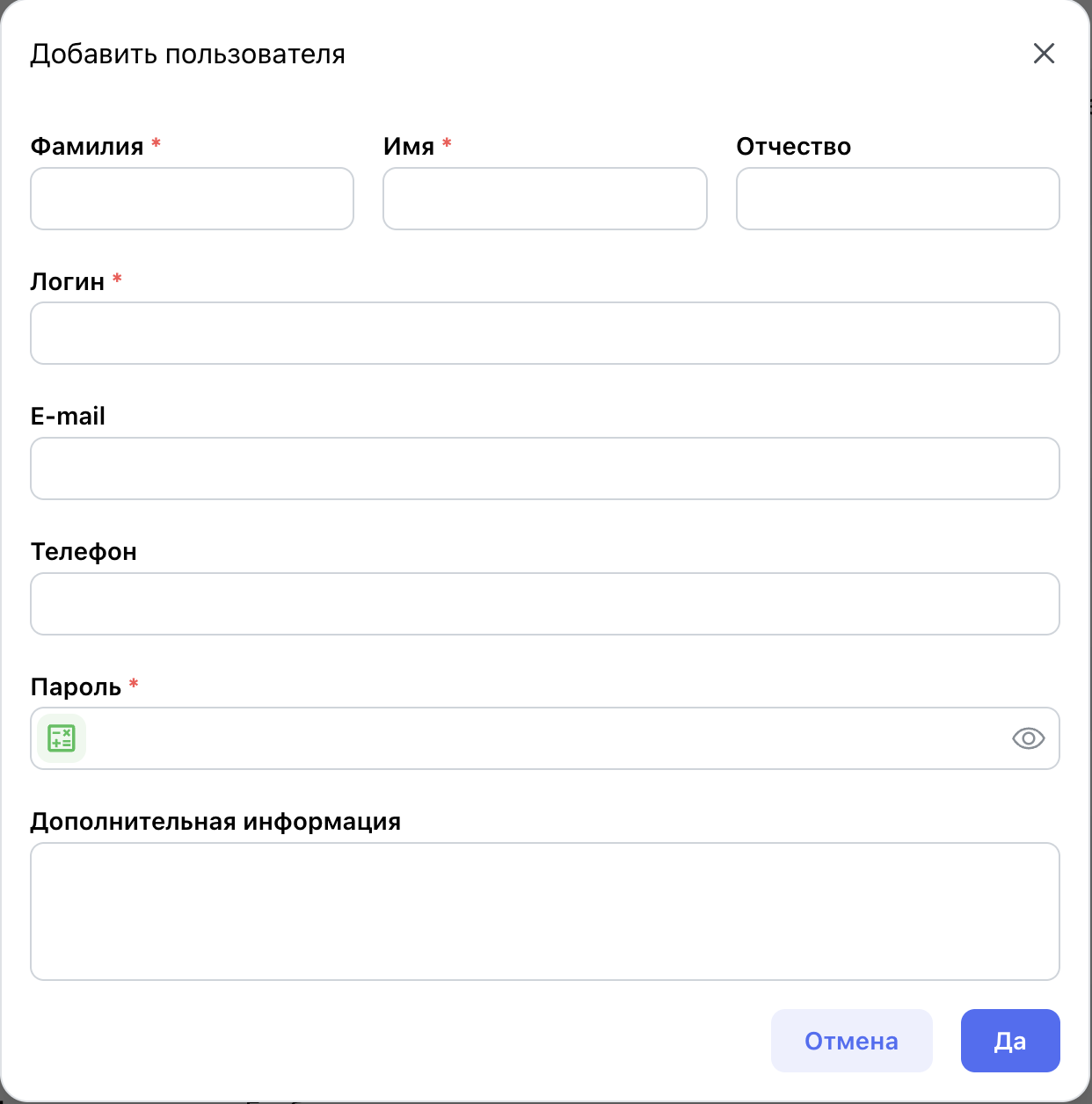
Click “Add user” and enter the user's last name, first name, middle name, username, email address, telephone number, password, and any additional information. Required fields are marked with *. After creating the account, assign the necessary roles, production sites, and permissions.
Registration Using an Equipment QR Code
Users can register independently by scanning an equipment QR code. The platform links the new account to the equipment's production site and automatically grants the basic User role for that site.
After registration, an administrator can change the role, available sections and sites, view/create/edit permissions, and other individual access settings.