11. Telegram
The Telegram bot lets users submit service requests from a mobile phone without signing in to the web interface.
Creating a request from an equipment QR code
A dedicated QR code is placed on or near the machine. After it is scanned, the bot automatically identifies the site, equipment, and requesting user. The user only needs to describe the issue, optionally attach photos or video, and select Create request.
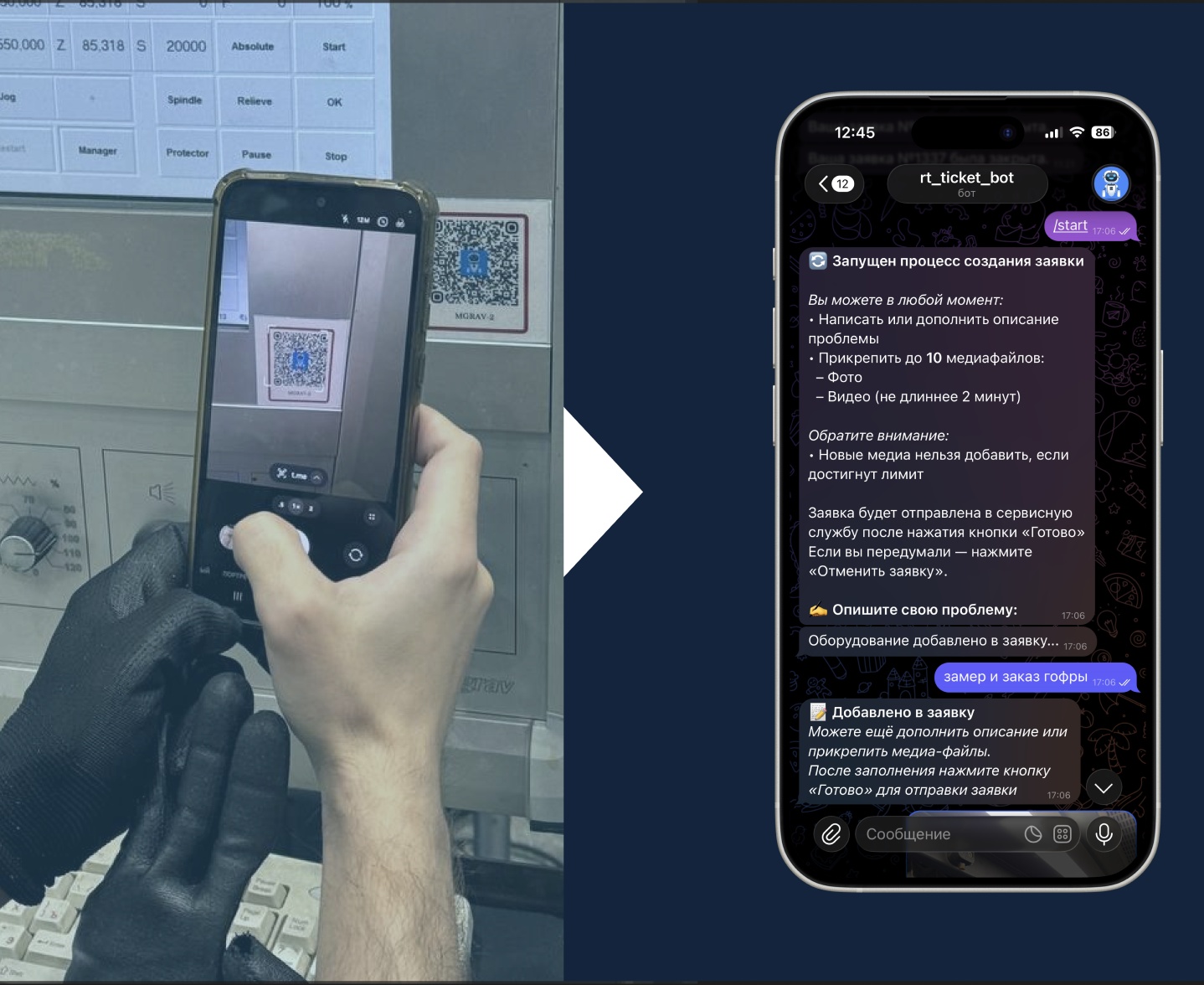
The request appears immediately in the shared list and is already linked to the correct equipment.
Creating a general request
If an issue is not related to a specific equipment item, users can scan the bot's general QR code or use its main menu. They select a site, describe the issue, and optionally attach photos or video. This workflow is suitable for site infrastructure, buildings, utilities, and other objects without their own equipment cards.
Telegram bot notifications
The bot posts each new request to the maintenance team's shared chat. The message includes the request number, requester, status, site, equipment, and description, with links to the request and related objects.
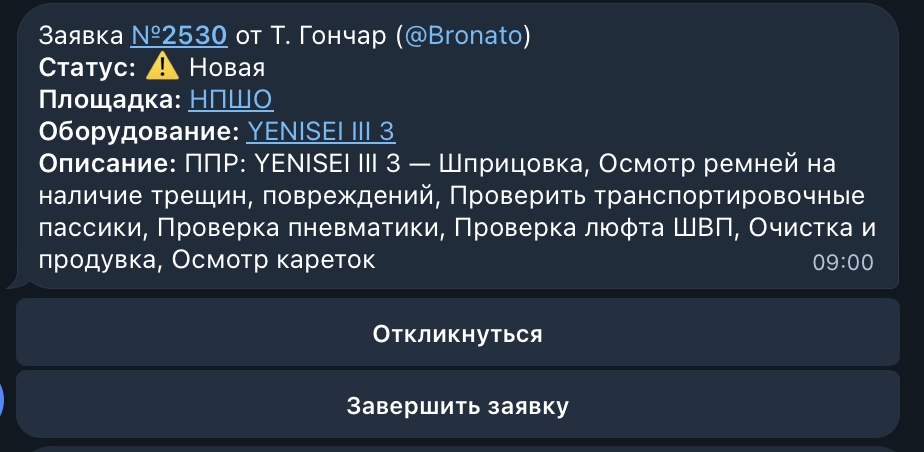
An engineer can select Respond directly in the chat. The requester receives the response in Telegram if the request was created through the bot, or as a push notification if it was created in the PWA.