3.2. Site Card
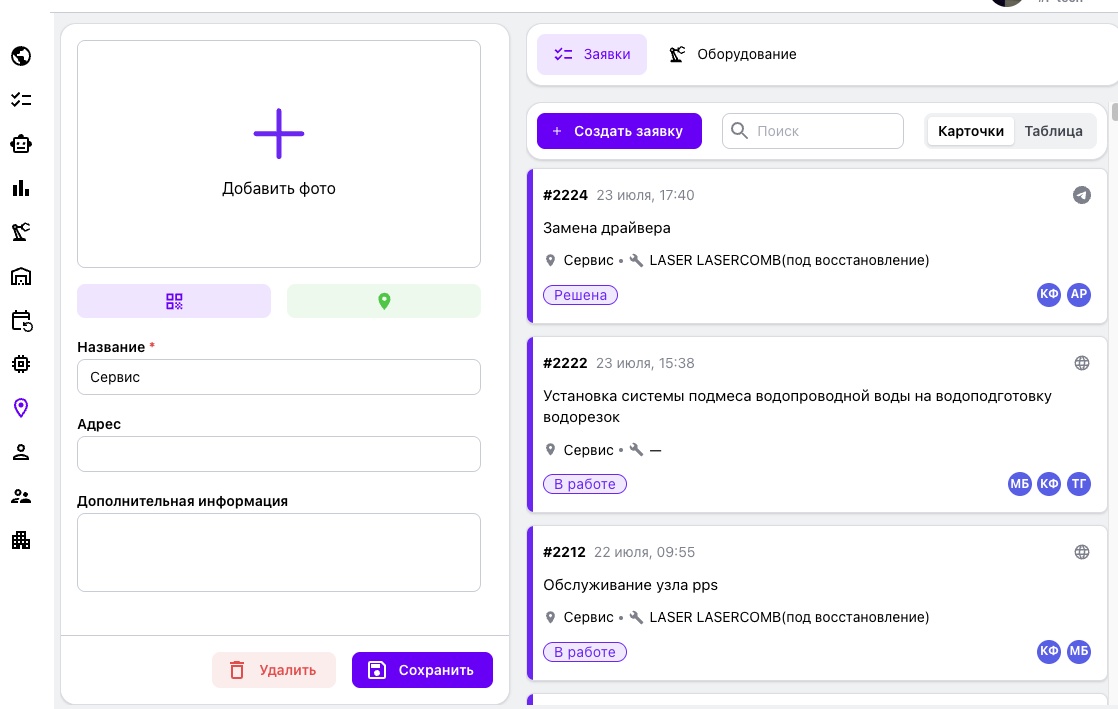
After a production site is created, its card becomes available with general information and related objects.
From the site card, you can:
- add a photo of the production site;
- enter an additional description or comments;
- view the equipment assigned to the site on the “Equipment” tab;
- view all service requests associated with equipment at the site on the “Service Requests” tab.
The “Equipment” and “Service Requests” tabs include quick-action buttons for faster access:
- “Add equipment” — registers new equipment directly at the selected site;
- “Create service request” — quickly registers a service request without navigating to the corresponding menu section.
This approach allows users to perform most routine operations for a specific production site from a single window, reducing navigation between sections and making the platform more convenient to use.