3.1. Creating Sites
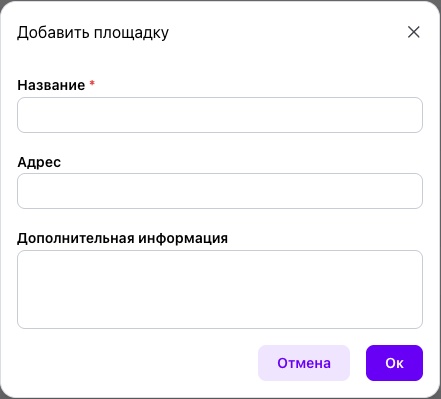
To create a site, click “Create” and complete the required fields.
Only the “Name” field is required. We recommend using the site's established name within the company, such as “Workshop No. 1,” “Machine Shop,” or “Kaluga Production Site.”
The “Address” field is optional and is used only to store reference information about the site's location. Completing this field does not affect platform functionality.
After it is saved, the production site becomes available for assigning equipment and employees, managing service requests, planning PPM, tracking spare parts, and generating analytics.
Production sites in ServiceBack are independent objects and do not form a hierarchy. This allows the platform to support both companies with a single production facility and organizations with multiple geographically distributed sites.