5.2. Service Request Table
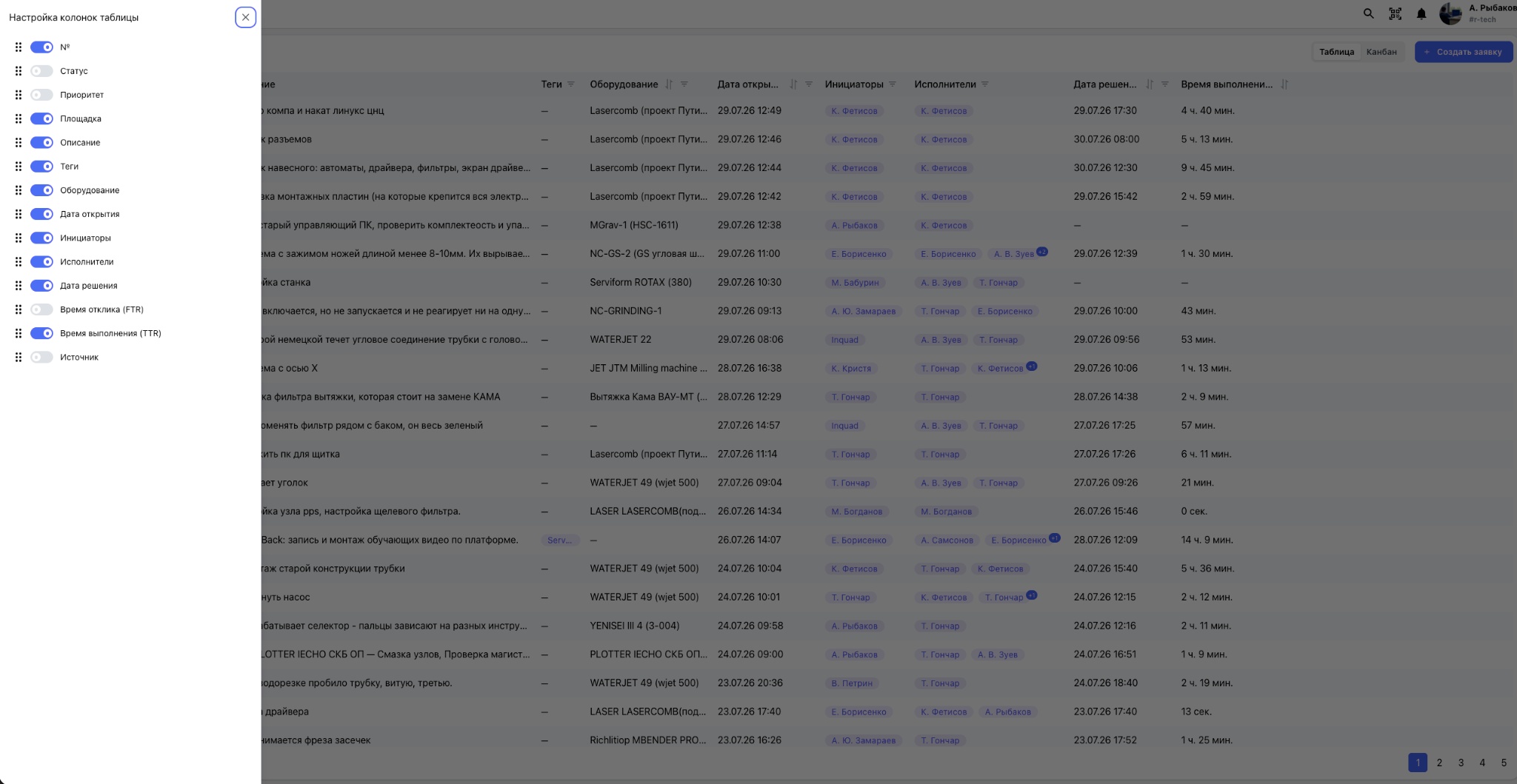
Table mode is designed for working with large numbers of service requests, finding information, creating data subsets, and performing quick analysis. Each row represents one request, while the columns contain its number, status, priority, site, equipment, description, participants, creation and completion dates, and processing performance metrics.
Sorting and filtering
Sorting and filtering are available for nearly every column. Users can sort requests by date, completion time, or priority, and filter data by site, equipment, assignee, requester, status, tags, and creation source. Multiple filters can be applied at the same time.
Configuring displayed columns
Use the “Configure table columns” window to show or hide individual columns, change their order by dragging them, and adapt the table to a specific workflow. After the configuration is saved, it is retained for the user's subsequent sessions.
The table is suitable both for engineers' daily work and for managers' high-volume analysis: it speeds up request searches, supports maintenance performance monitoring, and provides personalized views for different roles.