5.3. Service Request Card
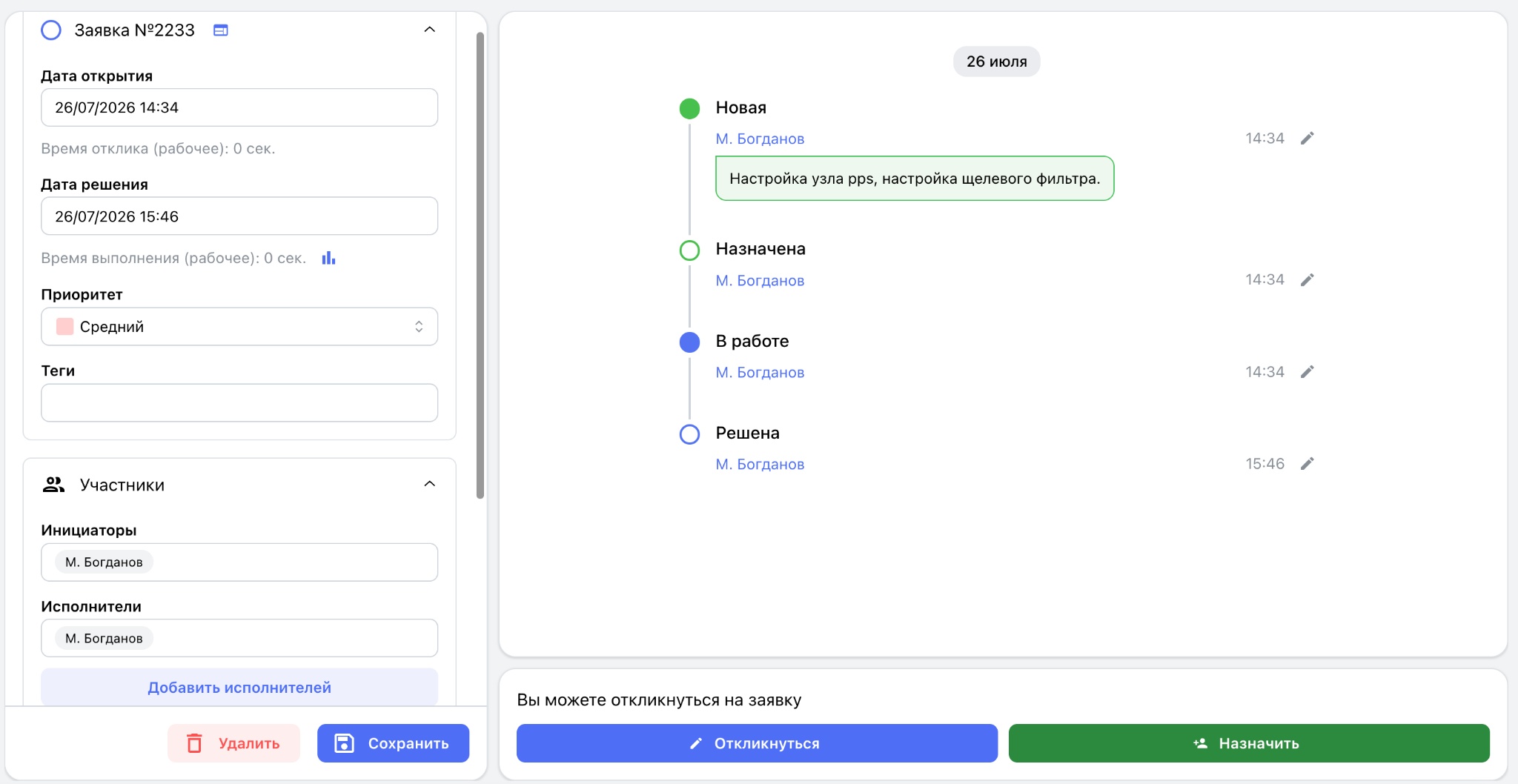
The service request card is the primary workspace for maintenance engineers, dispatchers, and managers. The top section displays the request number; opening and resolution dates and times; response time; work duration; priority; and tags.
The “Participants” section displays requesters and one or more assignees. The “Related Objects” section contains the production site and equipment.
The right side of the card contains the request processing timeline. Each stage displays its status, assignee, date and time of the change, and a comment when provided.
Depending on the request's current status and the user's permissions, the following actions may be available:
- “Respond” — accept the request for work;
- “Assign” — assign an engineer;
- “Start work” — move an assigned request into active work;
- “Pause” — pause the request and specify a reason;
- “Complete” — complete the work;
- “Close” — close the request with a mandatory engineer's comment;
- “Save” — save the changes;
- “Delete” — delete the request when the user has the required permissions.
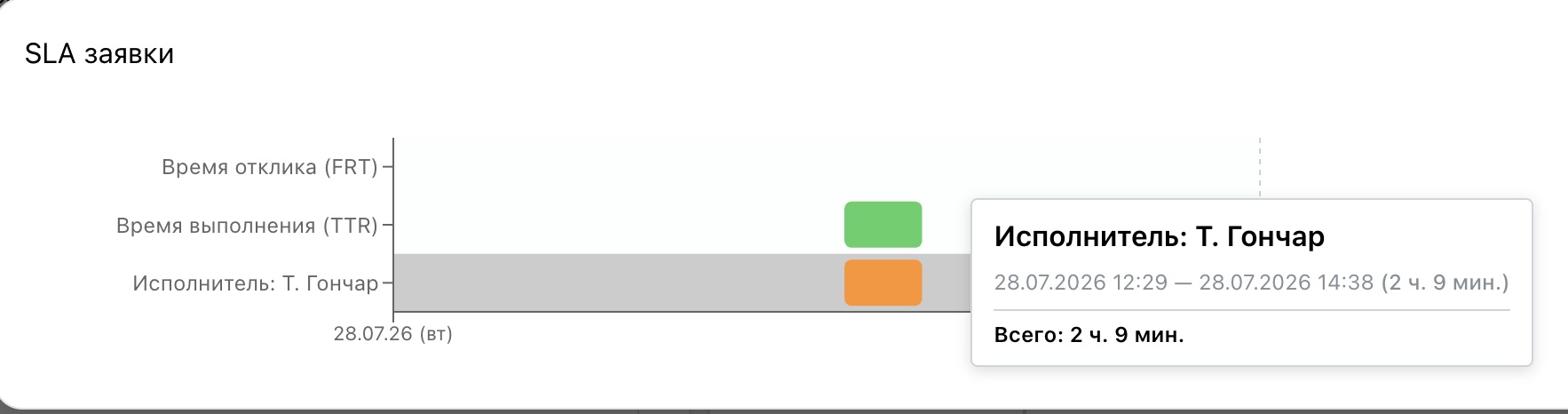
Each request also includes an assignee time-tracking menu below the resolution date.
Editing and commenting
The built-in activity feed provides a complete history of the request. Each entry records the author, publication date and time, comment text, attachments, and any status change.
Comments are used to clarify the fault, exchange information, record completed actions, request additional details, and document interim results. Photos, screenshots, documents, archives, and other files can be attached directly to a comment.
Work report and spare-parts issue
After completing the work, the assignee moves the request to Resolved and prepares a final report. It normally records the cause of the fault, work performed, adjustments made, assemblies replaced, and recommendations for continued operation.
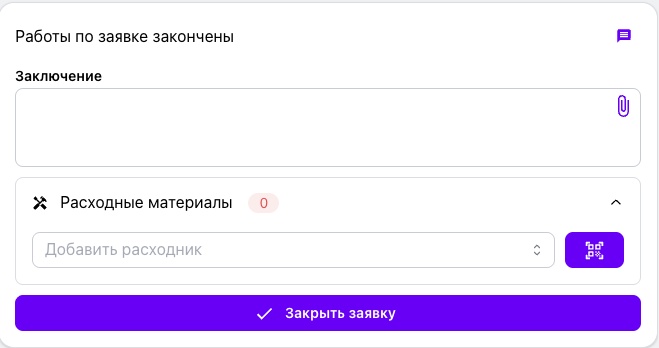
The closing form also lets the assignee select the spare parts and consumables used and enter their quantities. Items can be selected by QR code or barcode for faster processing.
When the request is closed, ServiceBack automatically deducts the materials from inventory and records the transaction date and time, employee, request number, equipment, and quantity. The transactions become part of the equipment history and support analysis of component failures, spare-parts consumption, maintenance cost, and replacement history.