5.1. Kanban Board
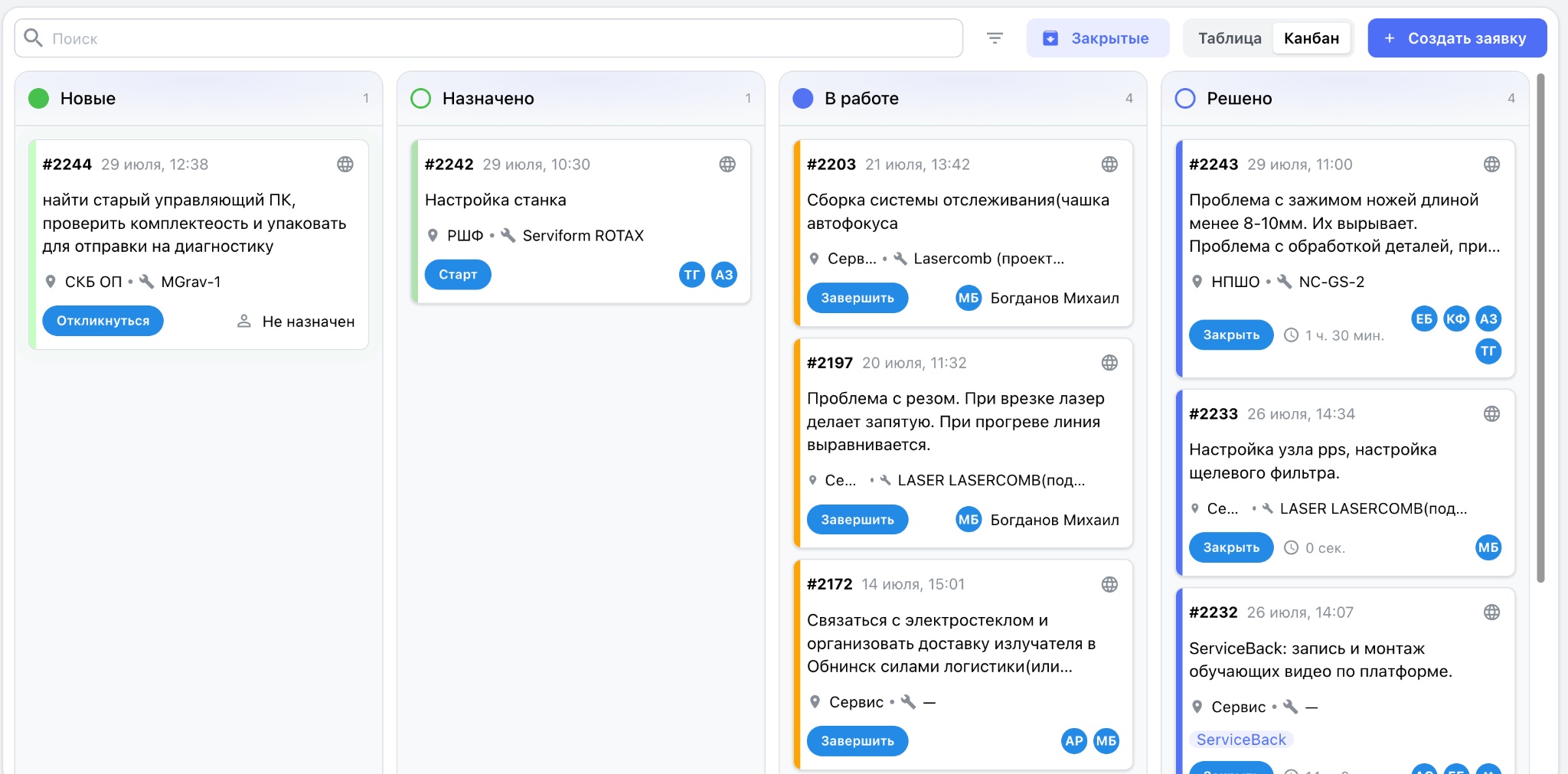
In Kanban board mode, all service requests are automatically distributed across columns according to their current status. A typical lifecycle includes the following stages:
- New — requests awaiting assignment;
- Assigned — requests assigned to an employee but not yet accepted for work;
- In progress — requests for which maintenance work is underway;
- Resolved — requests for which the work is complete and that are awaiting final closure with a resolution description or engineer's comment.
Each card contains the service request number, creation date and time, a brief description, production site, equipment, assigned engineer, color-coded status indicator, and quick-action buttons.
Change the status of a request by dragging its card between columns. The Kanban board helps monitor maintenance team workload, identify bottlenecks, see how many requests are at each stage, and assign tasks quickly.
Service request preview
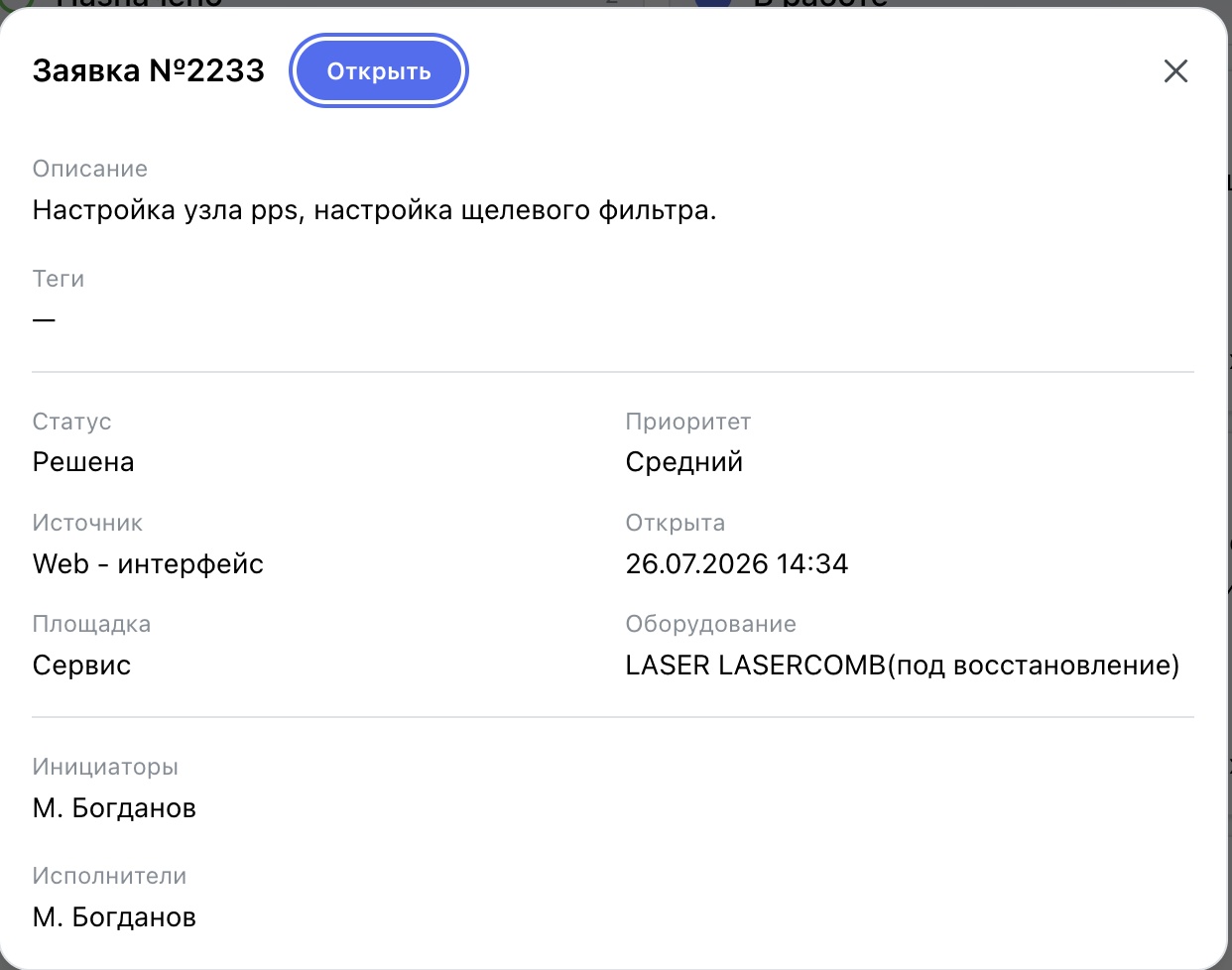
To review a request without opening its full card, click the card in the Kanban view. An information panel opens with key details and the current status.