6.2. PPM Schedules
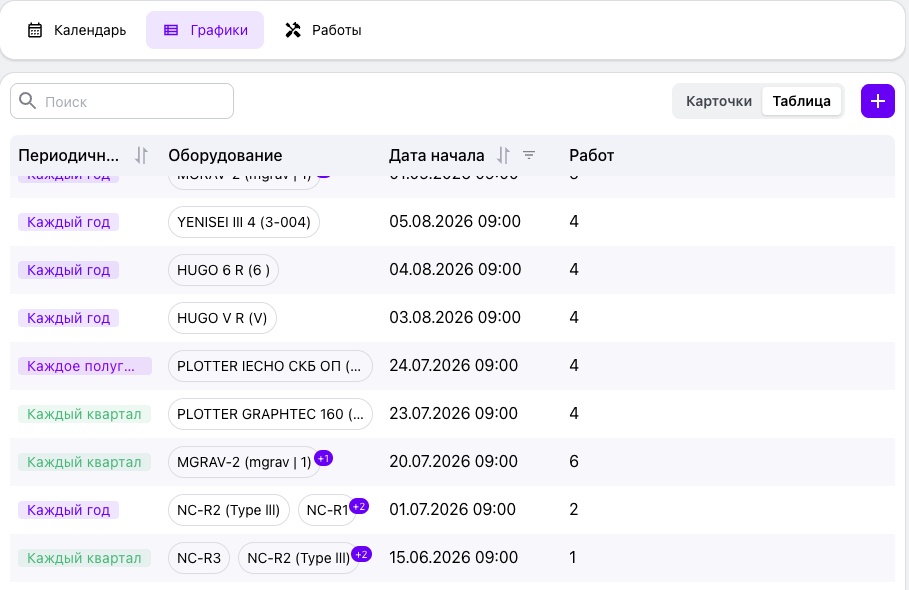
The “Schedules” tab manages planned preventive maintenance schedules. Each schedule is a recurring maintenance template that the platform uses to create scheduled tasks and service requests automatically.
6.2.1. Data Views
Schedules can be displayed in two modes:
- Table — a compact view for working with many schedules;
- Cards — a visual mode for quick review and selection.
Switching between modes does not clear filters or search results.
6.2.2. Search
The search field at the top of the section finds a schedule in real time by equipment name or other displayed data.
6.2.3. Table View
For each schedule, the table displays its frequency, linked equipment, next run or effective start date, and number of prescribed tasks. The table supports sorting and filtering, displayed-column configuration, and column reordering.
6.2.4. Creating a Schedule
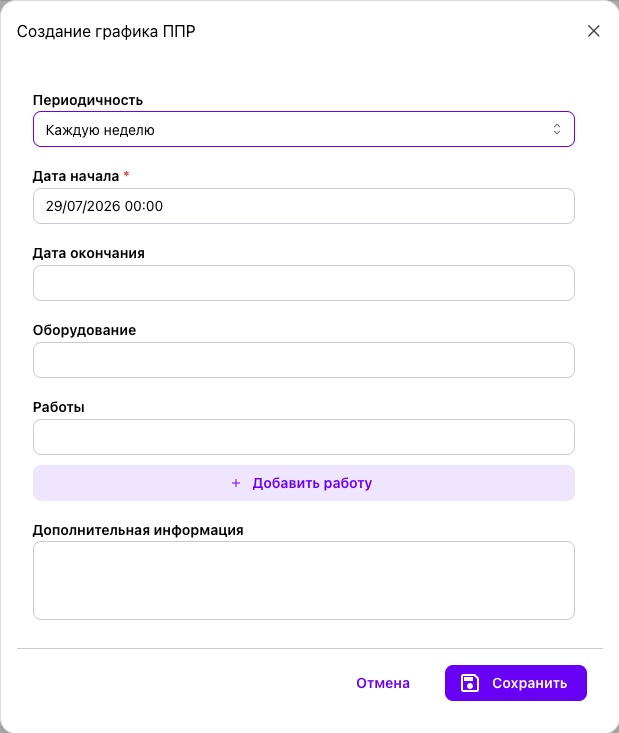
To create a schedule, click “Add” and specify:
- the equipment for which the schedule is created;
- the recurrence frequency;
- the effective start date; the end date is optional;
- the start time, which determines when the service request appears in the system;
- a list of prescribed tasks, either existing or new.
After it is saved, the schedule becomes active immediately and appears both in the PPM section and in the corresponding equipment record.