7.2. Table View
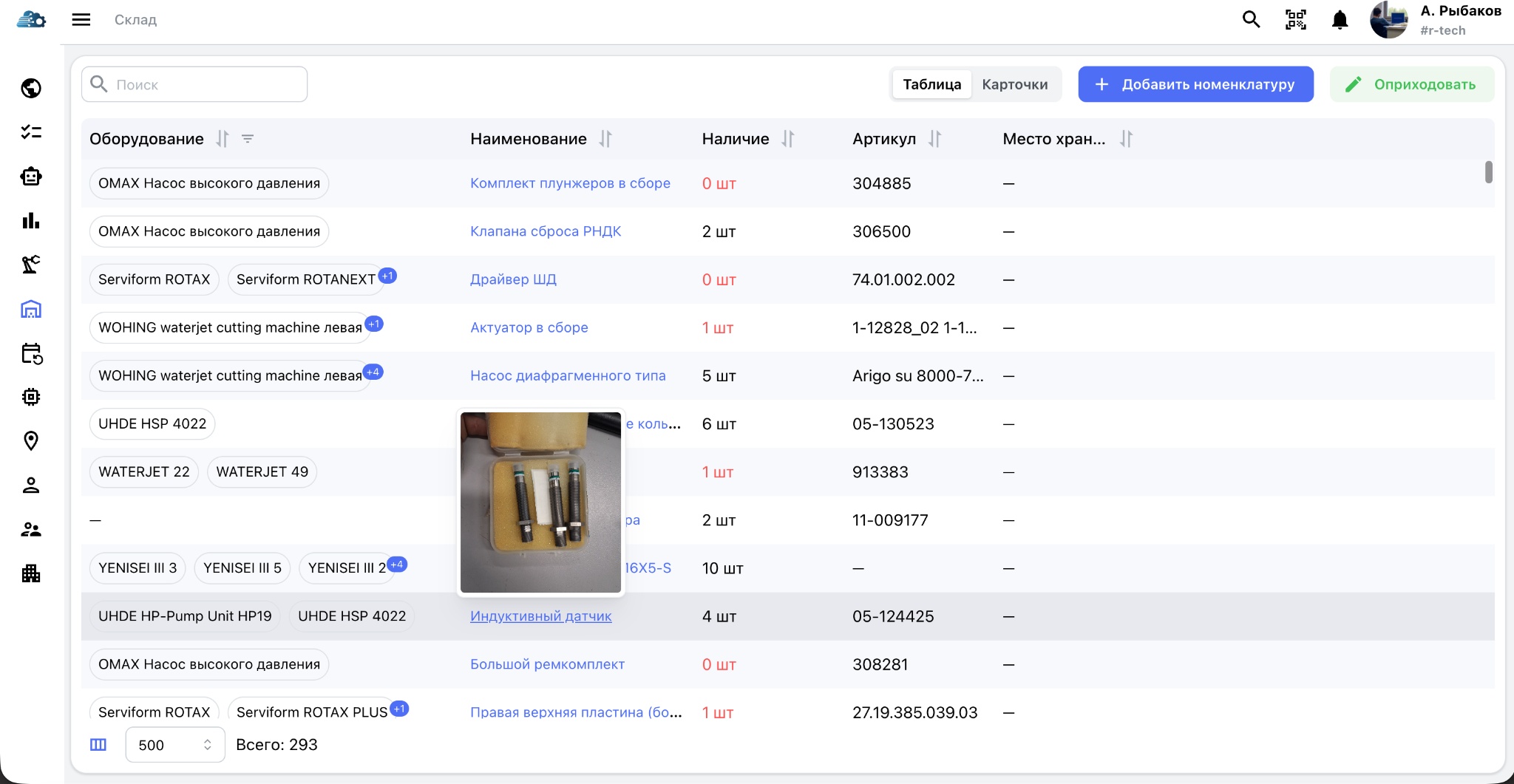
Table mode is available for companies with large item catalogs. It supports sorting by any column, data filtering, displayed-column configuration, and column reordering.
When the pointer hovers over an item name, a thumbnail of the part photograph appears. This allows users to confirm that they selected the correct item without opening its card.
7.2.1. Adjusting stock
The Adjust stock operation has two modes:
- Receipt — enter the received quantity and a comment, such as the delivery note number, supplier, or reason for receipt. The quantity is added to stock.
- Issue — enter the quantity, the equipment on which the part was used, and a comment. The quantity is deducted from stock.
Linking an issue to equipment automatically builds its spare-parts usage history and supports analysis of operating cost and frequently replaced components.
The section also supports QR-based issue and write-off history.